What are Fortnite loading screens?
Fortnite loading screens are illustrated scenes connected to the game's world, seasons, characters, events, or cosmetic catalog. The phrase can describe both the artwork displayed during a loading transition and an item that a player can view or equip from a collection. Those uses overlap, but they are not identical. A screen can exist as game art without being a reward that every account can claim.
The safest way to read a loading screen name is to keep three labels separate: the image asset, the display context, and the ownership source. An image may appear in a public cosmetics database, the game may use it in a loading rotation, and an account may still lack the entitlement. Search results often collapse those details into one short phrase, which is why a good Fortnite loading screen guide states what the source can actually prove.
Loading screens also differ from outfits, back blings, emotes, wraps, and sprays. A bundle or season page may mention several cosmetic types together, but that does not turn the loading artwork into a skin. Keeping the type boundary clear prevents a collection count, a shop listing, or a fan-made gallery from being mistaken for an account inventory.
| Term | What it describes | What to verify |
|---|---|---|
| Loading screen artwork | An image asset used by Fortnite or its catalog | The source, name, and date checked |
| Selected loading screen | A screen available to an account in the current client | The Locker or collection entitlement |
| Reward source | A pass, quest, event, bundle, or promotion tied to the item | Whether the source is still claimable |
| Public catalog record | A community-facing name, image, or metadata entry | That it is not proof of ownership or future return |
How to find and view a Fortnite loading screen
A repeatable check
Start with the current Fortnite client if the question is about your account. Open the Locker or the collection area that contains loading screen cosmetics, then look for the item name or the season associated with it. Menu names can move after an update, so follow the labels visible in the current client instead of relying on an old video that shows a different interface.
If you are researching a name rather than checking ownership, use a public catalog to narrow the search. Look for the asset name, a readable image, the cosmetic type, and any season or event note. Then compare that record with an official pass, quest, event, or shop source. A catalog is excellent for discovery, but the in-game result is the right place to decide whether your account can select or use the screen.
For a missing image, clear filters, switch to the active preset, and check whether the client separates archived or unequipped cosmetics. If the record is still absent, do not conclude that it was deleted. It may be tied to an older reward path, a different account, a limited event, or a catalog entry that was never an account entitlement.
- Search the current Locker or collection interface before trusting an old screenshot.
- Use the name, source, season, and cosmetic type to identify a catalog record.
- Check an official reward or event page when the source affects eligibility.
- Recheck the active preset and filters before calling a screen missing.
- Use the official client for the final claim, selection, or purchase decision.

What loading screen artwork can and cannot prove
A clear image can prove that a particular artwork is represented in a public catalog at the time it was checked. It can help you match a name, recognize a character, or compare the visual style of different seasons. It cannot prove that the item is currently available, that the reward source is still open, or that another account owns it.
Dates need the same care. A release date may identify when a screen entered a reward path, while a last-seen date may describe a shop or catalog observation. Neither date guarantees a future return. If a page uses words such as rare, exclusive, or obtainable, ask which evidence supports the label and whether the statement is still current.
The strongest practical note includes the checked date, the source type, and the limit of the claim. For example, a public Fortnite-API record can support an image example, while Epic's client or reward page remains the authority for an account entitlement. This separation is more useful than a dramatic ranking that quietly mixes old art, current rewards, and community guesses.
| Evidence | It can support | It cannot prove |
|---|---|---|
| Public image record | The artwork and a catalog name | Current account ownership |
| Season or pass page | The advertised reward path at that time | That every account can still claim it |
| Old screenshot | How a menu or image looked when captured | The current client layout or availability |
| Long absence | Why players call a screen uncommon | Permanent removal or a guaranteed return |
Why animated or community-made loading screens changed
Questions about animated Fortnite loading screens often combine a visual memory with a systems change. Older screens may have had motion, effects, or a different presentation in the client, while a newer interface may show a still image or use a separate display rule. A change in presentation does not automatically mean that the underlying artwork was removed from every catalog or account.
Community-made loading screens are another separate case. A creator may have supplied art for an event, challenge, or promotional program, but the public source, reward timing, and current eligibility can differ. When a search result says that Fortnite used community-made screens, treat it as a historical lead and look for the original announcement or event context before stating that the same path is still active.
Avoid promising a custom replacement method unless an official current setting documents it. Client file edits, unofficial tools, and account services can be unsafe or unsupported. A useful guide can explain the history and the visible behavior without telling readers to install a mod or submit credentials to an unknown site.
Examples from the public Fortnite-API catalog
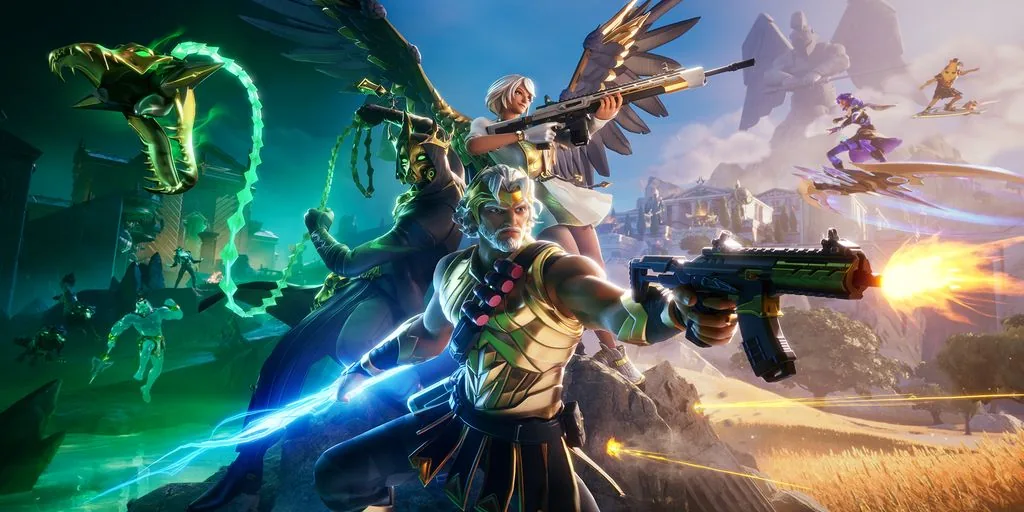
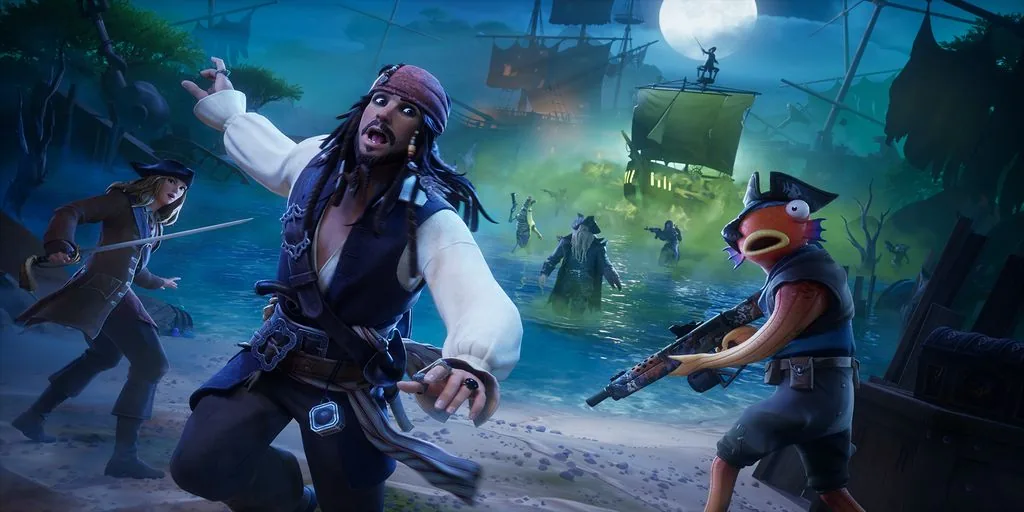
The three images on this page are real Fortnite loading screen assets retrieved from Fortnite-API's public cosmetics image CDN and converted to compressed WebP for this site. They are included to answer the visual part of the query: how Fortnite loading screens look. They are not invented screenshots, and they are not presented as proof that a reader can claim the corresponding cosmetic today.
A catalog example is most useful when its boundary is visible. Use the image to recognize the artwork, then follow the name or source into the current game client, an official event page, or a pass record. If the public record and the client disagree, treat the official client or Epic source as the final availability reference.
The third example below shows why a gallery should include source notes. A visually familiar character or collaboration can make an old screen look current, but artwork recognition alone does not reveal the reward window, account entitlement, or regional display rule. Keep the image, metadata, and source question separate when you update a collection.
Common mistakes when searching for Fortnite loading screens
The first mistake is treating a gallery as a live reward list. A gallery answers what an image looks like and may show a useful name. It does not answer whether an event, pass, quest, or shop offer is open today. Put the current client and official source at the end of the verification path.
The second mistake is using rare as a fact without a definition. Old, limited, hard to repeat, collaboration-linked, and simply popular are different labels. If you use uncommon, state whether the evidence is a dated catalog record, a reward source, or a long return gap. Do not convert a community ranking into an account or legal claim.
The final mistake is trusting a free unlock form, account seller, or custom-screen tool that requests an Epic password or two-factor code. A loading screen lookup does not need those credentials. Close the page and use Epic's account security path for unfamiliar connections.
- Do not call a public gallery the current Fortnite reward list.
- Do not treat a long absence as proof of permanent removal.
- Do not present community art as an official current reward without a source.
- Do not install a client replacement tool just to change a loading image.
- Do not share account credentials with a loading screen or skin website.
A safer Fortnite loading screen checklist
For a visual lookup, start with a dated public catalog record and use the image to confirm the name. For an account question, use the current Locker or collection interface. For an unlock question, trace the item to its pass, quest, event, collaboration, or official shop source. Those three paths keep artwork discovery, ownership, and eligibility from being mixed together.
If a screen is not visible today, the honest answer is that the checked source did not confirm it in the current rotation or entitlement view. You can keep a dated history note and watch official announcements, but do not promise a return date. The images on this page are useful examples; the game client and official Epic pages remain the final reference for access.