What is Fortnite back bling?
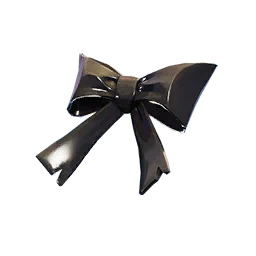
Back bling is a Fortnite cosmetic type that appears on a character's back. It can be a backpack, shield, cape, bow, creature, portal, instrument, or a themed object from a season or collaboration. The item is usually equipped separately from the outfit, so two outfits can use the same back bling unless a special rule or visual conflict prevents it.
The name alone does not tell you how the item was obtained. A shop back bling may rotate with an outfit or bundle. A Battle Pass, Crew, quest, event, or promotion reward can follow a different entitlement rule. A community database may list every asset together because it is useful for search, even though the game client treats each source differently.
Keep four facts separate when reading a Fortnite back bling entry: the cosmetic type, the source, the account entitlement, and the date checked. That small habit prevents a common error in search results, where a screenshot of an old locker or a catalog thumbnail is treated as proof that the item is purchasable today.
| Term | What it describes | What to verify |
|---|---|---|
| Back bling | A cosmetic equipped in the back slot | Name, type, and current account access |
| Item Shop offer | A rotating purchase or bundle listing | Live price, contents, and end date |
| Set | A themed relationship between cosmetics | Whether items are sold or rewarded together |
| Pack or reward | A product, Pass, Crew, quest, or event path | Platform, season, and eligibility |
| Public catalog record | A searchable name, image, or metadata entry | That it does not prove ownership or return |
How to find and equip Fortnite back bling
A repeatable account check
If the question is about your own Locker, open the current Fortnite client and use the back bling category or the preset editor. Search by the item name, character theme, or set when those filters are available. Menu labels can move after a major update, so the current client is a better authority than an old video that shows a different interface.
If you are identifying an image, use the name, icon, set, and cosmetic type together. Public catalogs such as Fortnite-API are useful for discovery and visual matching. After you have a likely match, check the live Item Shop or an official reward page. The catalog answers what the asset is; the game or Epic page answers whether your account can use it.
When a back bling seems missing, clear search filters, switch to the active preset, and check whether the item belongs to a different account or reward path. Do not assume deletion from a single blank result. A limited event, an old Pass, a platform promotion, or a catalog record without an entitlement can produce the same symptom.
- Open the current Locker and select the back bling category.
- Match the exact name, image, cosmetic type, and set.
- Check the Item Shop or official reward source when a purchase or claim matters.
- Review filters, presets, account ownership, and platform before reporting an item missing.
- Use the official client for the final equip and purchase decision.
Rarest Fortnite back blings vs popular examples
The phrase rarest back blings in Fortnite is useful only when the page defines what rare means. An item may be uncommon because it came from an old Pass, had a short event window, belongs to a collaboration, or has not appeared in a shop for a long time. Popularity, visual recognition, and a high catalog price are different signals. None of them proves that an item will return or that another account owns it.
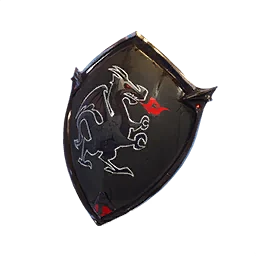
Black Shield is a useful example of why source matters. Its catalog record identifies it as a back bling associated with the Black Knight theme, but a public image does not tell you whether a current account can claim it. For a rare claim, record the source, season or event, last verified date, and the exact wording used by the official or community source.
A better comparison ranks evidence before appearance. Start with a documented reward path or dated shop record, then add return history and visual demand. Label community rankings as opinions. This approach gives readers a useful list without turning an old absence into a permanent exclusivity promise.
| Signal | What it can support | What it cannot prove |
|---|---|---|
| Old Pass or event source | Why access may be limited | That every old owner still has it |
| Long shop absence | A dated return gap | Permanent removal or a return date |
| High community interest | Popularity and search demand | Official rarity or value |
| Public catalog image | Name, type, and visual match | Current purchase eligibility |
| Current official listing | Present price and contents | How long the offer will remain |
Reactive, animated, and outfit-compatible back bling
Some back bling changes appearance when a condition is met, such as eliminations, a match state, an emote, or a themed interaction. A reactive label is a behavior note, not a promise that every outfit or mode will show the effect in the same way. Check the current item description and test it in the game when the behavior affects your decision.
Compatibility is also visual. A cape, large shield, or portal can cover a character's silhouette, clip with an outfit, or become less visible during an animation. The fact that an outfit and a back bling share a set does not guarantee that they are the clearest combination in every camera angle. Preview the pairing instead of judging from a small thumbnail.
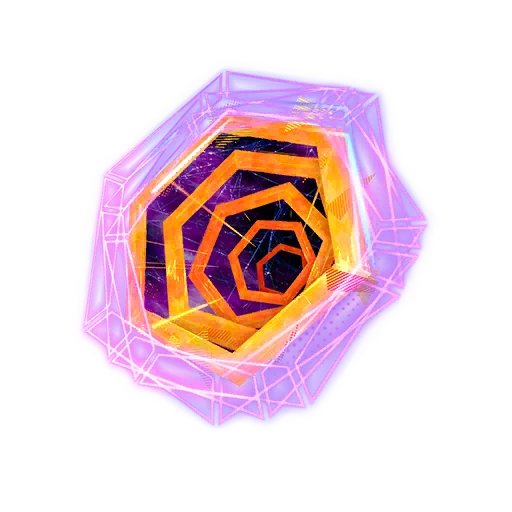
Spider-Verse Portal shows why a collaboration item needs a source boundary. The image can identify the portal and its theme, while the collaboration page or current Item Shop decides how the offer is handled. Do not infer that every Spider-Verse cosmetic returns together just because a catalog groups them under one franchise.
- Read the current item description before relying on a reactive effect.
- Preview large capes, shields, portals, and animated items with the outfit you use.
- Treat a collaboration label as context, not as proof of a shared return date.
- Use official event or shop pages for eligibility and purchase details.
How to verify a Fortnite back bling listing safely
Use a short source ladder whenever a post claims that a back bling is free, rare, returning, or available today. First match the exact name and type in a public catalog. Next check the current Fortnite Item Shop or the official Epic page. Finally confirm the purchase, ownership, or reward state on the account that will use the item. Each step answers a different question, so skipping the last step creates false certainty.
Be careful with pages that ask for a login before showing a cosmetic image, promise free V-Bucks, or sell an account with a rare back bling. A catalog lookup never needs an Epic password, recovery code, or two-factor token. Use official account security and purchase flows, and treat a community post as a lead rather than proof.
For your own notes, record the item name, cosmetic type, source, displayed price if any, check date, and the URL that supports the claim. Keep historical, current, and predicted states separate. This makes it easier to update the page when an Item Shop offer changes and keeps a useful catalog from becoming an accidental availability promise.
- Match the exact item name and cosmetic type first.
- Use a live official listing for current price and contents.
- Use the current Locker or reward page for account access.
- Label community predictions and old screenshots as historical or unconfirmed.
- Never trade credentials, accounts, or unofficial codes for cosmetics.
A simple Fortnite back bling decision checklist
For discovery, use a catalog image and name. For ownership, use the Locker. For an offer, use the current Item Shop. For a reward, follow the Pass, Crew, quest, event, or collaboration source. Keeping those paths separate answers most back bling questions without guessing from a recycled thumbnail.
If you are choosing between two items, compare what you will actually equip, how clearly it fits your outfit, whether the effect matters in your mode, and whether the current price fits your V-Bucks budget. Rarity can be an interesting detail, but it should not replace source, ownership, or price checks.
The most reliable answer is often time-stamped: this catalog entry was checked on a given date, the live offer was or was not visible, and the official client confirmed or did not confirm account access. That wording stays useful after a rotation without pretending to know a future return.
| Question | Best source | Reason |
|---|---|---|
| What is the item? | Public catalog plus name match | Confirms type and visual identity |
| Is it available today? | Live Fortnite or Epic listing | Separates current from historical |
| Can my account use it? | Locker, reward, or purchase flow | Checks ownership and eligibility |
| Should I buy it? | Price, preview, and personal budget | Avoids impulse and duplicate purchases |