
What counts as a Fortnite Battle Pass skin?
The phrase Fortnite Battle Pass skins usually refers to outfits that were placed on a Battle Pass reward track or granted through a pass-specific progression system. A pass can include outfits, back blings, pickaxes, gliders, emotes, loading screens, wraps, and alternate styles. This page counts outfits as skins, while treating the other rewards as related cosmetics so one pass is not mistakenly presented as dozens of separate skins.
The source matters because Fortnite has several reward systems that look similar in a thumbnail. An Item Shop outfit is a shop offer that may rotate again. A Crew skin belongs to a subscription pack. An event reward may require a limited challenge or account eligibility. A promotional outfit may be tied to a device, bundle, or partner. A Battle Pass skin belongs to a different access history, so the same return-gap logic cannot be applied to every category.
Names and season labels are useful starting points, not proof of a live entitlement. Community databases such as Fortnite-API can provide a searchable catalog and real cosmetic renders, but they are not the authority for current price, account eligibility, or future availability. When a database and the game disagree, use the in-game pass screen or an official Epic page for the decision.
| Cosmetic source | What it usually means | What not to assume |
|---|---|---|
| Battle Pass | An outfit placed on a pass or pass-linked progression track | It is currently claimable or will return to the shop |
| Item Shop | A cosmetic offered through a rotating shop section | A long absence proves it is permanently gone |
| Fortnite Crew | An outfit included with an eligible monthly subscription pack | Every old Crew outfit is available to a new subscriber |
| Event or promotion | A reward tied to a challenge, platform, partner, or limited offer | A community list is a purchase or redemption offer |
How to check the current Fortnite Battle Pass skins
Search results and social videos often use current Battle Pass wording for a short period around a season change. That makes date context essential. A page uploaded during one season can continue ranking after the pass has changed, and a video thumbnail can show bonus styles that require a level or quest. Start with the active pass screen in Fortnite, then compare the reward track, season label, and eligibility text with any outside list.
The current Fortnite Battle Pass query is different from a complete historical list. If you only want to know what is claimable now, the official game client is the shortest verification path. If you want to research a skin from an old video, record its name, chapter and season, then use a catalog as an identification aid. Do not call an old outfit current simply because the image still appears in a search result.
This distinction also protects the page from stale seasonal claims. The guide intentionally avoids hard-coding a current chapter or season roster without a checked first-party source. A live season can be added to the page after an editor verifies the official pass page and records the check date; otherwise, the evergreen rules below remain safer and more useful.
- Open the Battle Pass or rewards screen in Fortnite and note the season label.
- Separate base outfits from bonus styles, variants, and accessories.
- Check the level, quest, subscription, or purchase condition attached to the reward.
- Compare an external list only after confirming its publication date and source.
- Use the official account or in-game screen as the final answer for eligibility.

How to read past Battle Pass skin examples
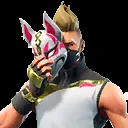
Historical examples are useful when a player remembers a character but not the season. Agent Jones, Drift, Sentinel, and Black Knight illustrate why a name should be paired with a chapter or season instead of copied from a timeless list. The catalog can help confirm spelling and show a recognizable render, while the introduction field gives a research clue. Neither field alone creates a new purchase option.
The same method works for new Fortnite Battle Pass skins when the current pass is announced. First identify the reward source. Next record the season and the exact outfit name. Then check whether the item is a base reward, bonus reward, style, or separate accessory. This prevents a list from counting one character's selectable styles as several different skins or mixing a loading screen into an outfit count.
A clean history page should also state its limits. A community catalog can change, merge records, add an image, or revise an introduction field. Keep the checked date visible in editorial notes, link to the data source, and avoid claiming that a catalog timestamp is an official release or entitlement date.
Can Fortnite Battle Pass skins come to the Item Shop?
This is one of the most searched and most easily misunderstood Battle Pass questions. Do not use a normal Item Shop return calendar as proof that an old pass outfit will appear. The Item Shop is designed around rotating offers, while pass rewards are tied to a different history and may be governed by the rules that applied to that pass. Epic can update policies, but a community tracker cannot turn a possibility into a scheduled return.
When a player asks whether an old skin will come to the shop, separate three answers: whether the cosmetic was originally a pass reward, whether an official policy or offer currently allows a return, and whether the player's account can claim it. A long gap in the shop is strong evidence that a cosmetic is not available through the normal shop today, but it is not a promise about tomorrow. The reverse is also true: a rumor about a future shop appearance is not proof of eligibility.
Use the official Fortnite or Epic source for any current policy statement. Use the Item Shop tracker on this site only for live shop discovery, not for changing Battle Pass access rules. If a third-party page asks for an account, code, payment, or login to unlock an old pass skin, treat it as a risk signal rather than a shortcut.
| Evidence | What it can support | What it cannot prove |
|---|---|---|
| Active in-game reward track | The account can see the current reward and its condition | That every player has the same eligibility |
| Official Epic or Fortnite announcement | A published policy, offer, or current event detail | A permanent future return schedule |
| Fortnite-API catalog record | Name, image, introduction clue, or historical research | Current entitlement, price, or shop return |
| Social post, video, or rumor | A lead worth checking against a source | A confirmed Battle Pass shop date |
Five checks before trusting a Battle Pass skin list
A useful list should let you answer more than the skin name. Check the page's date, the source field, the chapter or season, and whether the writer distinguishes outfits from styles and accessories. A list with no source boundary may still contain correct names, but it is not enough for a purchase or account decision.
Next, compare the item with an official surface. Current reward tracks and entitlement messages are stronger than an old screenshot. If you are researching a past skin, use the catalog image as visual identification and treat the historical label as a clue to verify. Never submit account credentials to a third-party list to test whether a reward is available.
Finally, decide what action the evidence supports. A verified old name supports collection research. A current in-game reward supports an eligibility decision. An official announcement supports a current policy note. A rumor supports nothing more than a follow-up check. Keeping those outcomes separate is the simplest way to avoid false urgency.
- Source: is the claim from Fortnite, Epic, a community catalog, or an unsourced post?
- Time: does the page show a checked date and a season that matches the claim?
- Type: is the record an outfit, style, accessory, event reward, or Crew item?
- Eligibility: does an official screen explain the level, quest, purchase, or account condition?
- Action: does the evidence justify research, waiting, or a current purchase check?
Match the name and render to a catalog record without treating the image as proof of availability.
Record the chapter, season, publication date, and any checked source timestamp.
Use Fortnite or an official Epic surface for the active reward and account condition.

The practical answer for Fortnite Battle Pass skins
Use Fortnite Battle Pass skins as a source-and-eligibility topic, not as a synonym for Item Shop skins. Current rewards should be checked in the active pass screen. Historical records should include a season and a community-source label. Old pass cosmetics should not be placed on a normal shop prediction calendar unless an official source clearly supports that claim.
If your goal is a cosmetic available today, return to the live Fortnite Item Shop tracker. If your goal is an old skin's history, compare the chapter, season, source, and access rule. That small separation makes a search result more accurate and keeps V-Bucks or account decisions grounded in evidence.