1. What is a Fortnite bundle?
In Fortnite, a bundle is a grouped offer that packages multiple cosmetics or a cosmetic plus a related bonus. The group may contain an outfit and back bling, a character with a pickaxe and glider, several emotes, or a collaboration set with an extra loading screen. Each component still has its own cosmetic type and account record. A bundle is a way to sell or grant the group; it is not a new category that turns every component into a skin.
The most important detail is the offer source. A normal Item Shop bundle can rotate with other shop offers. A starter pack, retail promotion, Crew pack, Battle Pass reward, or event grant can have a different path and a different eligibility rule. Two pages can both use the word bundle while describing completely different ways to obtain the items. That is why the source and the current listing matter as much as the name.
For a personal locker question, count the items that your account can actually equip. Do not use a bundle headline to estimate how many outfits you own. One bundle might include one outfit, one back bling, one pickaxe, and one loading screen; that is one outfit plus three other cosmetic records, not four skins.
- Outfit: the character cosmetic often called a skin.
- Back bling, pickaxe, glider, emote, wrap, and loading screen: separate cosmetic types.
- Bundle: the grouped offer or reward container that connects the components.
- Set: a themed relationship between items; a set name alone does not prove a current sale.
| Term | What it usually describes | What to verify |
|---|---|---|
| Item Shop bundle | Several cosmetics sold together in the rotating shop | Current listing, price, and contents |
| Pack | A product or grant that may include cosmetics, V-Bucks, or a platform promotion | Platform, eligibility, and official source |
| Set | A theme or catalog relationship between cosmetics | Whether each item is sold together or separately |
| Pass or Crew reward | Progression or subscription content | Current season, membership, or reward rules |
2. Fortnite bundle vs pack, set, pass, and Crew reward
Search results often use bundle, pack, and set as if they were interchangeable. They are not reliable substitutes. A set can describe a family of cosmetics without saying that the group is discounted. A pack can include currency or a platform entitlement and may be sold outside the Item Shop. A Battle Pass or Crew reward is connected to progression or membership rather than a normal daily shop rotation.
This boundary prevents two common errors. First, a player may see a set list and assume every item is purchasable today. Second, a player may see a pack advertised by a reseller and assume it follows the same refund or return rules as an Item Shop outfit. The visible label is a starting clue; the official purchase or reward page is the evidence that settles the current route.
When you link from this guide to the Item Shop history, collab guide, or Crew and Pass pages, the goal is to keep the source context clear. A collab bundle can have a partner event behind it. A Crew pack can be part of a subscription. A historical shop bundle can prove that an offer appeared on an earlier date without proving that it is listed now.
| Question | Best evidence | Do not infer |
|---|---|---|
| What is in the offer today? | Live Item Shop or official Epic listing | An old video thumbnail |
| What did the group contain before? | Dated shop history or catalog record | That the same price is current |
| Is it tied to a collaboration? | Official Fortnite news and the shop source | That every collab item returns together |
| Is it a Crew or Pass reward? | Current subscription or pass terms | That it is a standard shop bundle |
3. How to compare Fortnite bundle price and value
Start with the current listing, not a historical price. Write down the displayed V-Bucks cost, every component, and the individual prices that are visible or reliably documented. Then remove items you would never use from the comparison. A nominal discount can look impressive while the bundle still costs more than the one cosmetic you actually want. The value question is personal: it combines price, useful contents, ownership, and how likely you are to use the items.
For an illustration only, imagine a bundle displayed at 2,000 V-Bucks with an outfit, back bling, pickaxe, and emote; this is not a current offer or a typical price. If the outfit is the only item you would equip, compare the bundle with the outfit's individual shop price when that price is shown. If you already own the back bling, check whether the in-game offer adjusts the price or simply displays the full group. Never calculate a discount from a search snippet that may describe an older rotation.
The same method works for a collaboration bundle and a seasonal bundle. Record the date of your check, the source, and the item types. Keep the result as a decision note rather than a permanent price promise, because shop offers, ownership discounts, and regional checkout details can change.
- Step 1: record the current V-Bucks price and check date.
- Step 2: list each component and mark what the account already owns.
- Step 3: compare only against verified individual prices or a current official listing.
- Step 4: decide whether the extra items are useful, not merely rare-looking.
- Step 5: keep historical prices labeled as historical.
| Check | Example observation | Decision use |
|---|---|---|
| Displayed price | Hypothetical: 2,000 V-Bucks | Start with the live offer shown in game |
| Contents | Outfit, back bling, pickaxe, emote | Separate cosmetics before counting value |
| Owned item | Back bling already in the Locker | Ask whether the live offer adjusts price |
| Use case | Player wants the outfit and pickaxe | Extra emote should not be counted as automatic savings |
| Evidence date | Checked after the shop refresh | Prevents an old screenshot from replacing the current listing |
4. How to check and buy a Fortnite bundle safely
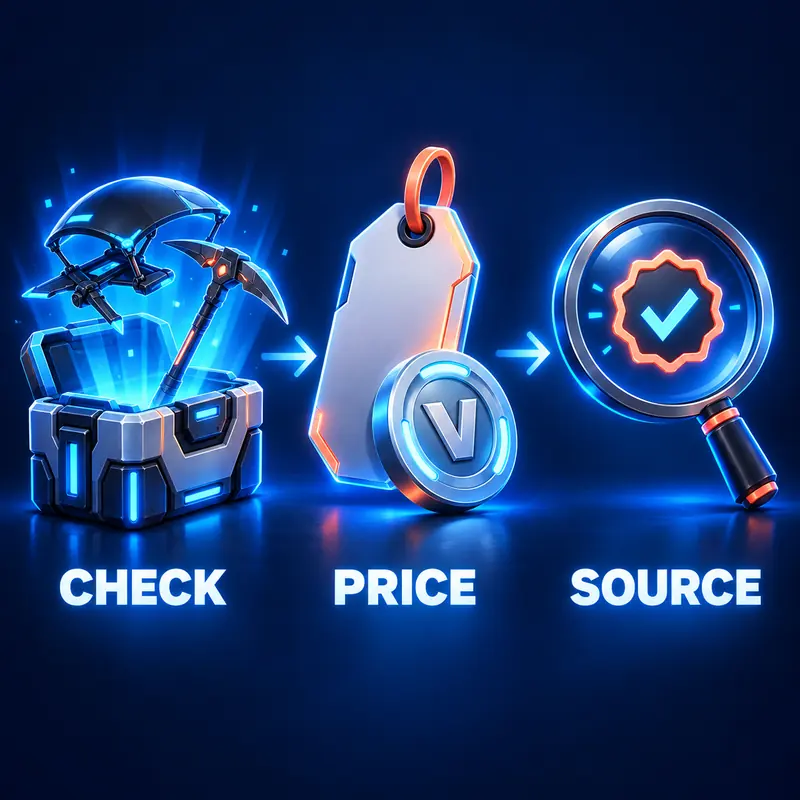
Use a short sequence every time you find a bundle claim. First, open the live Item Shop in Fortnite or the official Epic shop page. Next, search the exact offer name and confirm the item types. Read the visible V-Bucks price, the section name, and any offer end date. Finally, open the preview or purchase flow on your own account before deciding. This sequence separates discovery from the account-specific details that a public catalog cannot see.
If the bundle came from a collaboration, compare the offer with official Fortnite news or the partner announcement. If it came from a Crew, Pass, or platform promotion, read the current eligibility terms instead of using a shop-history page as proof. A community database can help you identify a cosmetic, but it cannot confirm your account's purchase button, region, ownership discount, or refund status.
Do not use a third-party code generator, account seller, or social media checkout to obtain a bundle. Epic credentials, recovery codes, and account transfers create a security risk and do not prove that the advertised cosmetics will be delivered. If an offer is not visible through an official route, keep it in the unverified category and wait for better evidence.
- Open the official shop or in-game Item Shop.
- Match the exact name and cosmetic type.
- Read the current price, contents, and any end-date notice.
- Confirm ownership and eligibility on the account that will use the items.
- Complete payment only inside the official Epic or platform flow.
| Evidence | It supports | It does not prove |
|---|---|---|
| Live official listing | Current name, contents, and displayed price | The offer will remain after reset |
| Official announcement | Event, reward, or collaboration context | Every future rotation |
| Dated catalog record | Cosmetic identity and historical context | Current account eligibility |
| Community prediction | A lead for a later check | A confirmed date or price |
| Reseller or code post | Only that a claim exists | Authenticity or safe delivery |
5. Why bundle availability and price can change
The Item Shop is a rotating system, so a bundle can leave at the next reset even when a screenshot still circulates. A collaboration may return around an event, a seasonal group may appear during a themed window, and an old offer may not have a published return schedule. A long gap is a historical fact, not a promise that a bundle is permanently unavailable or guaranteed to return tomorrow.
Ownership also affects the practical answer. The game may show a different price when an account owns part of a group, but the exact adjustment depends on the live offer and the account state. Do not copy an ownership discount from another player. Read the purchase screen on the account that will receive the items and stop before confirming if the total is unclear.
Regional display, platform storefronts, parental controls, and account eligibility can change what a player sees. When two players report different prices or missing components, compare the region, platform, ownership state, and check date before calling one result wrong. The official in-game screen is the final purchase reference.
- Current listing: visible at the time you check it.
- Historical listing: documented for an earlier date.
- Predicted return: a community signal that needs confirmation.
- Unavailable to this account: an account or platform state, not a global rarity verdict.
6. Common bundle mistakes and a safer checklist
The most common mistake is treating every grouped image as a current Item Shop offer. Another is adding the prices of every component without checking whether those prices are current or whether the account owns part of the set. A third is calling an item rare because it has been absent for a long time. These shortcuts make a page sound certain while giving a player the wrong buying expectation.
Use a small record when the decision matters: offer name, source, displayed price, components, check date, and account-specific notes. That record makes a later comparison possible and helps you identify a recycled image. If a claim comes from a leak or a community post, label it as unconfirmed and link to the live shop for the final check.
A bundle guide should help a player spend with context, not pressure. Decide what you will actually equip, compare the total with your V-Bucks budget, and keep purchases within the official account flow. If the listing is unclear, waiting is a valid answer.
- Do not treat a set name as proof of a bundle discount.
- Do not treat an old price, thumbnail, or video as today's listing.
- Do not count every bundle component as another skin.
- Do not trade credentials, accounts, or unofficial codes for cosmetics.
- Do label community predictions and catalog records separately from official evidence.
7. A simple Fortnite bundle decision rule
Buy only after the official listing answers four questions: what is included, what is the current V-Bucks price, which account can purchase it, and how long the offer is expected to remain. If any answer is missing, treat the bundle as a research lead rather than a confirmed deal. The rule works for ordinary shop groups, collaboration offers, and seasonal bundles because it keeps the source and the account context visible.
For research, use this page with the live Item Shop, Item Shop history, collab guide, account-value explanation, and refund guide. Each page covers a different decision. The shop shows the present offer, history shows earlier appearances, the collab guide explains partner context, the account-value page separates catalog data from ownership, and the refund guide explains why a purchase should be checked before confirmation.
- Contents first, price second, source third, account eligibility fourth.
- A bundle can be useful without being rare, and rare does not mean currently purchasable.
- When evidence conflicts, use the official Fortnite or Epic purchase screen.